RunPack
Run tracker for iPhone
A free GPS run tracker for iPhone.
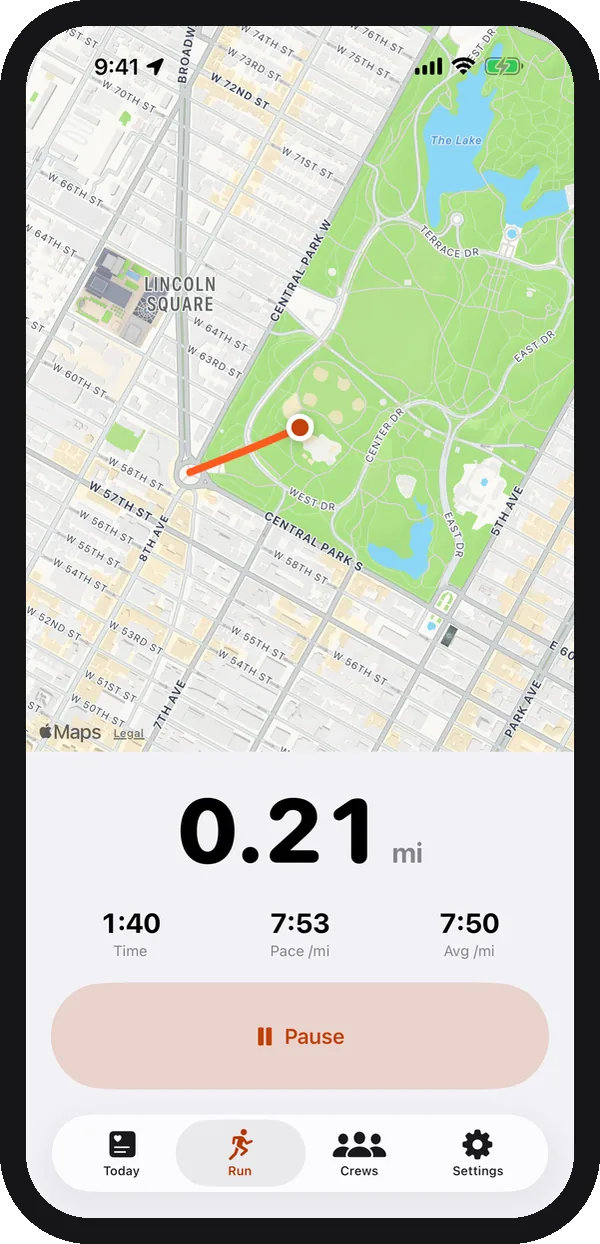
Tap start and run. RunPack records your route, distance, pace and time with your iPhone’s GPS, with no watch needed. Then, if you like, share the run with a private crew of friends.
What the run tracker does
Live map and stats
Your route on a live map, with distance, pace and time. Pause and resume whenever you need to.
On the Lock Screen
A Live Activity keeps your stats on the Lock Screen and in the Dynamic Island, so your phone can stay in your pocket.
Saved to Apple Health
Every run is saved as a workout with its route, so it counts in Apple’s Fitness app too.
Mornings
Know how hard to run today.
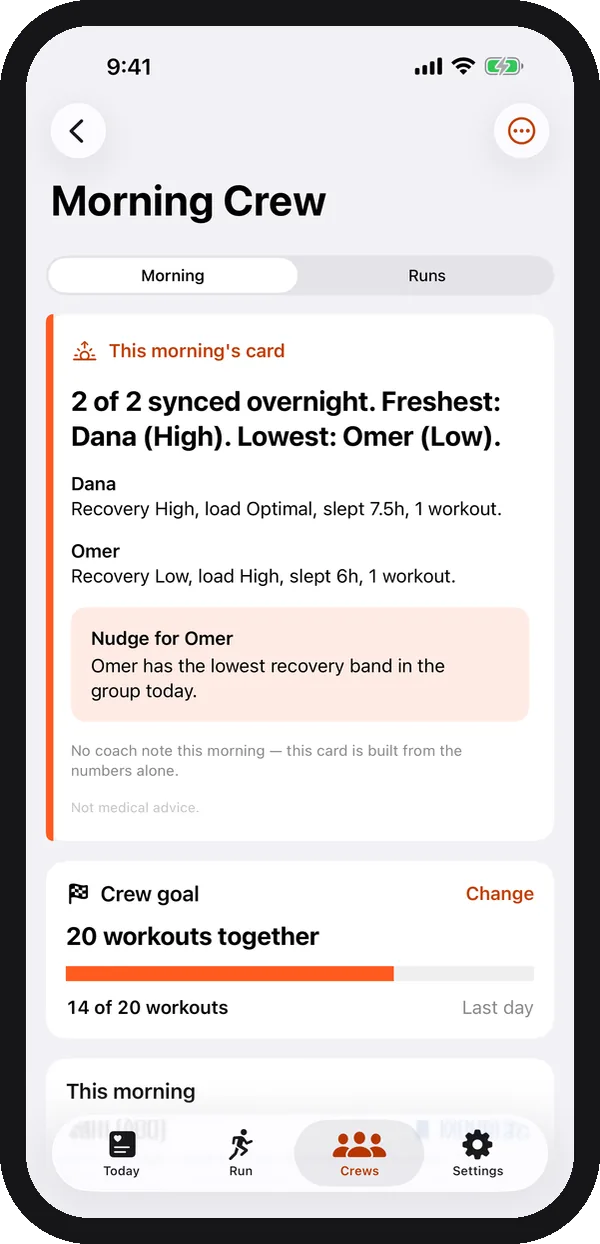
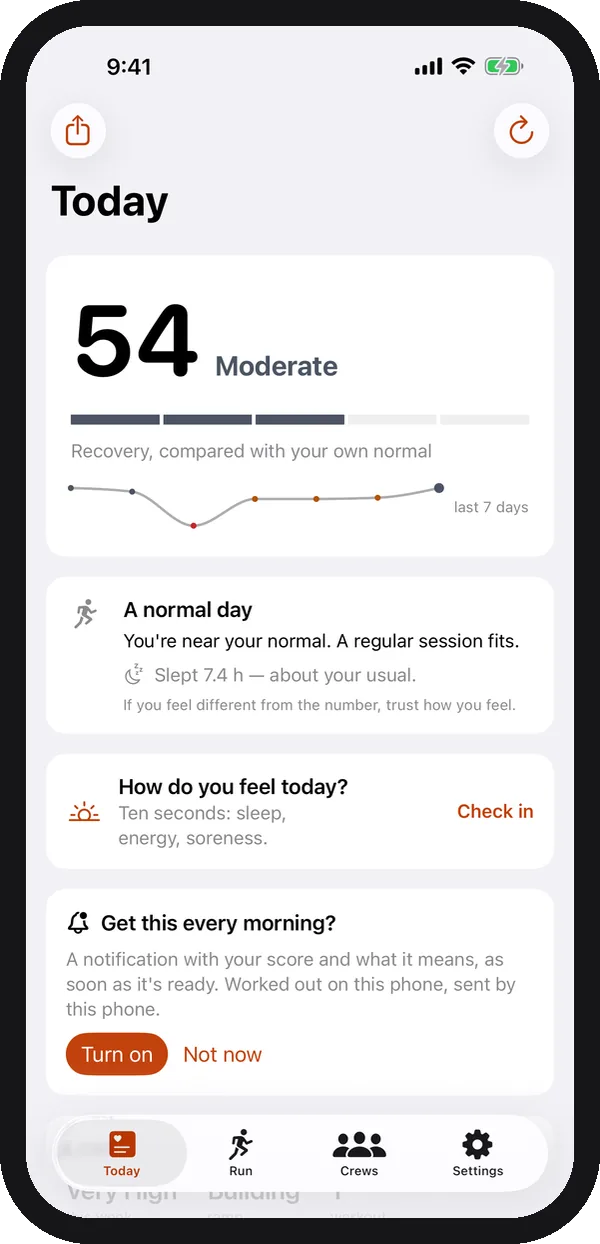
A 10-second morning check-in (sleep, how you feel, soreness) gives you a score against your own normal and plain advice: push, normal day, keep it easy, or rest. Wear a watch or ring and RunPack adds a recovery score too. See how the score works.
With friends
Share runs with your crew, not the internet.
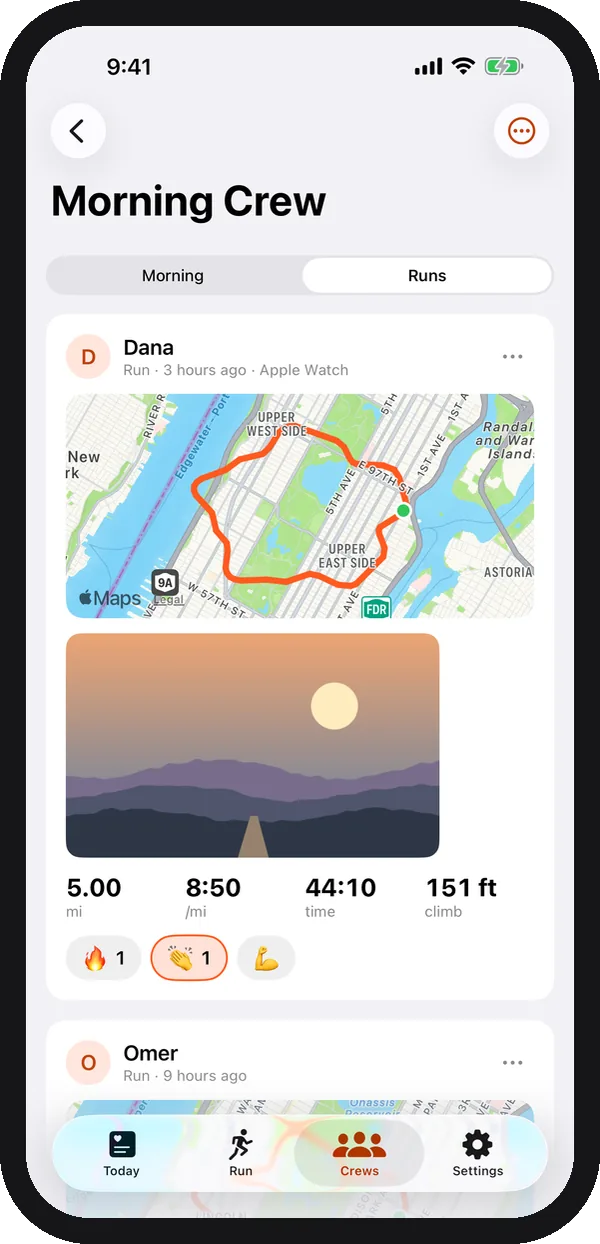
Start a crew and send the link. Your shared runs show up in a feed only the crew can see, next to their runs from iPhone, Apple Watch or Garmin. Friends react with 🔥 👏 💪 and never see your heart rate or scores. See how a crew works.
Questions about tracking runs
Do I need an Apple Watch?
No. RunPack records runs with your iPhone’s GPS. If you do wear an Apple Watch or a Garmin, RunPack also picks up the runs they save to Apple Health.
Is the run tracker free?
Yes. Recording runs is free, and so are crews of up to 4 friends. RunPack Plus adds bigger crews, route maps and photos on shared runs, and crew goals.
Can I see my run without unlocking my phone?
Yes. A Live Activity shows distance, pace and time on the Lock Screen and in the Dynamic Island while you run.
Where are my runs saved?
Each run is saved to Apple Health as a workout with its route, so it counts in Apple’s Fitness app and any other app you use.
Do I have to share my runs?
No. You can use RunPack just for yourself. Sharing to a private crew is optional, and you can hide or delete any shared run.
Related guides
- How to track runs without an Apple Watch
- How to plan a running route
- How hard should I run today?
- How to share Garmin runs with friends
- How to make running a habit
Using a watch? See which watches and devices work with RunPack.
Start your first run.
Free on iPhone. No watch needed, with Apple Watch and Garmin welcome too.
Coming soon to theApp Store